Coreloops May Platform Updates
Corepilot for Documents
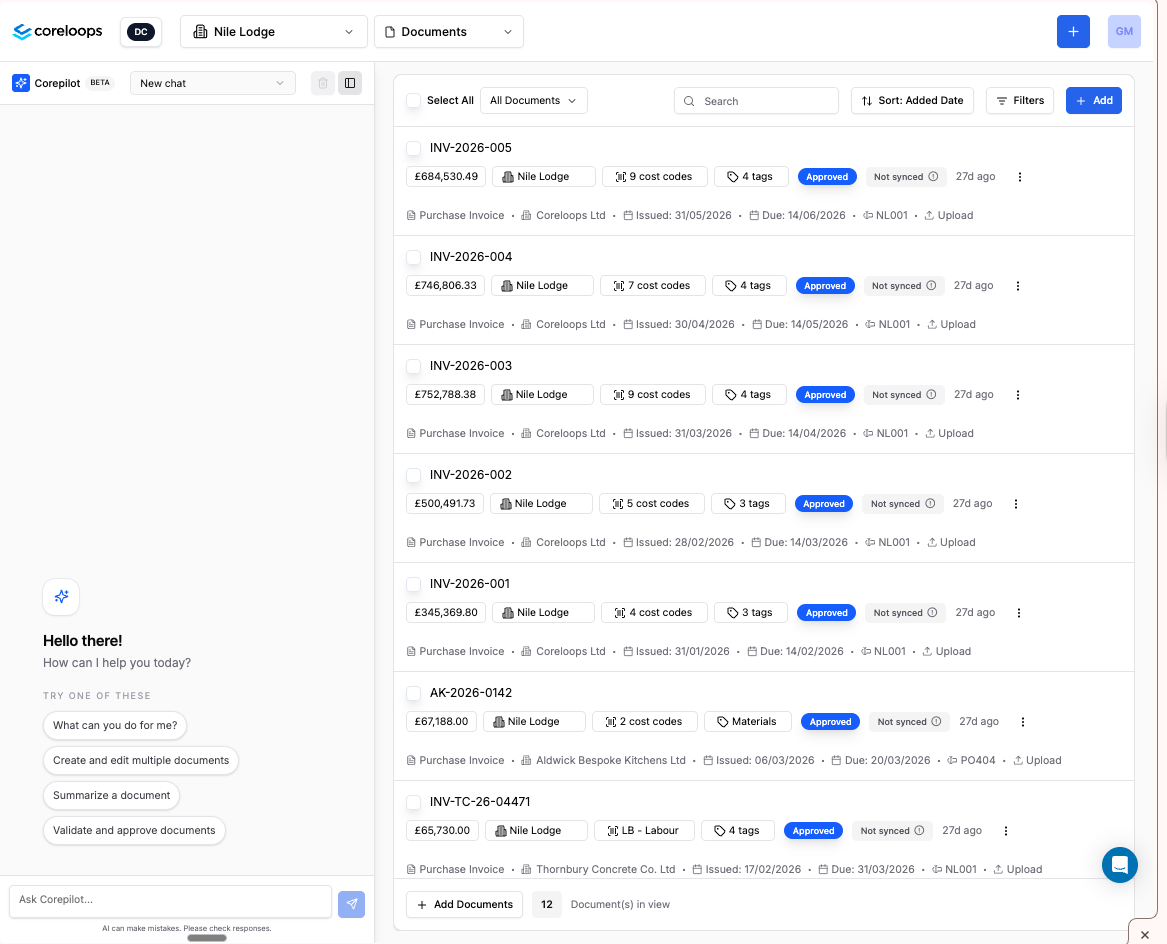
You can now ask Corepilot questions about your documents without leaving the platform. Ask things like "show all invoices from this supplier over £10k", "which documents are pending approval?", or "what's linked to variation VO-123?" and get answers grounded in your actual document data — including amounts, dates, statuses, and supplier relationships. Corepilot filters results to your project and permissions, and can surface links to the relevant documents in its responses.
Approval Policies & Workflows
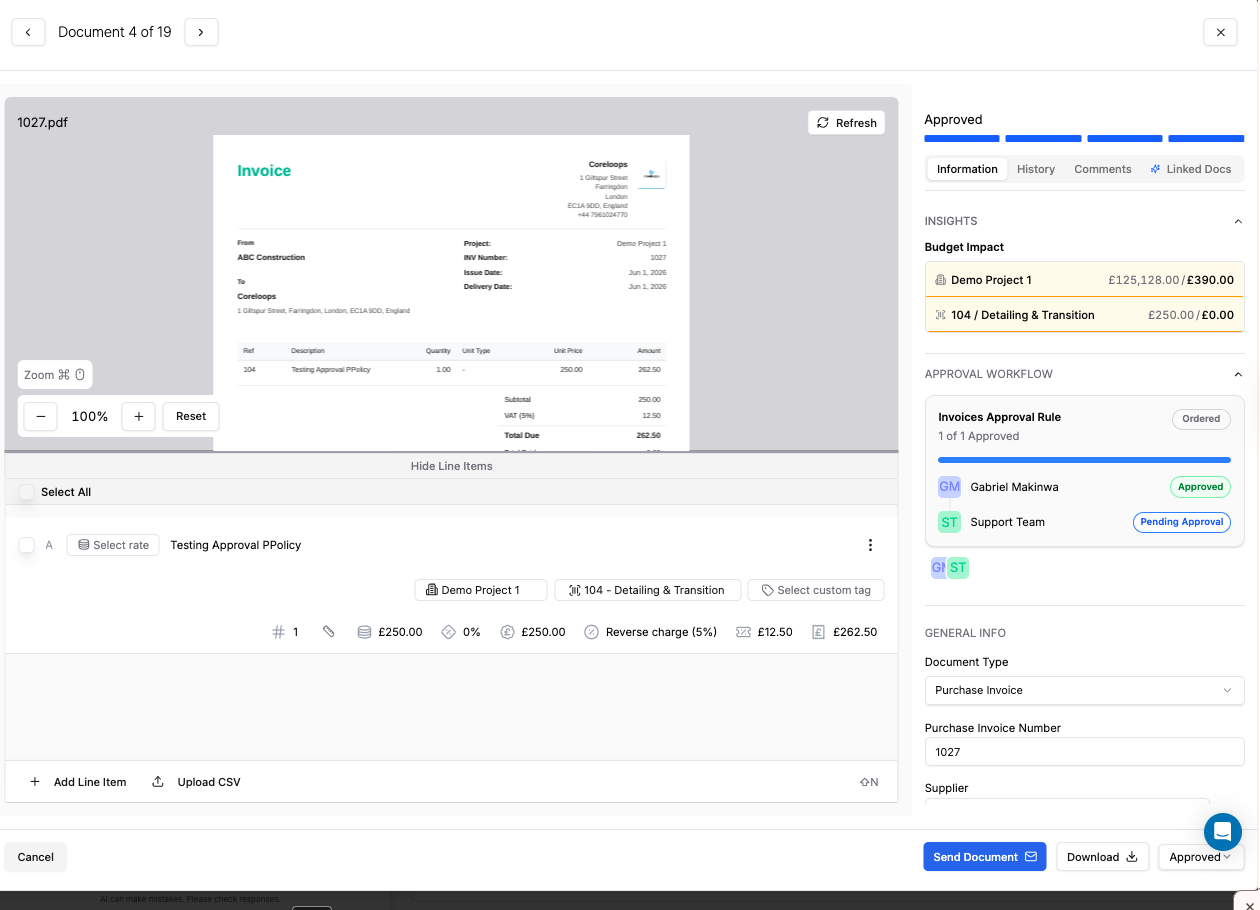
You can now define approval rules for your financial documents from within Settings. Rules let you specify when approval is required — for example, any supplier invoice above a set value — and who needs to approve it, whether that's a named individual, a team, or a multi-step chain of reviewers. Both ordered (sequential) and unordered (any approver can sign off at any time) approval structures are supported, and documents are blocked from progressing until the required approvals are in place. Approval status and approver details are visible directly on each document.
Flag Unmatched Invoice Line Items
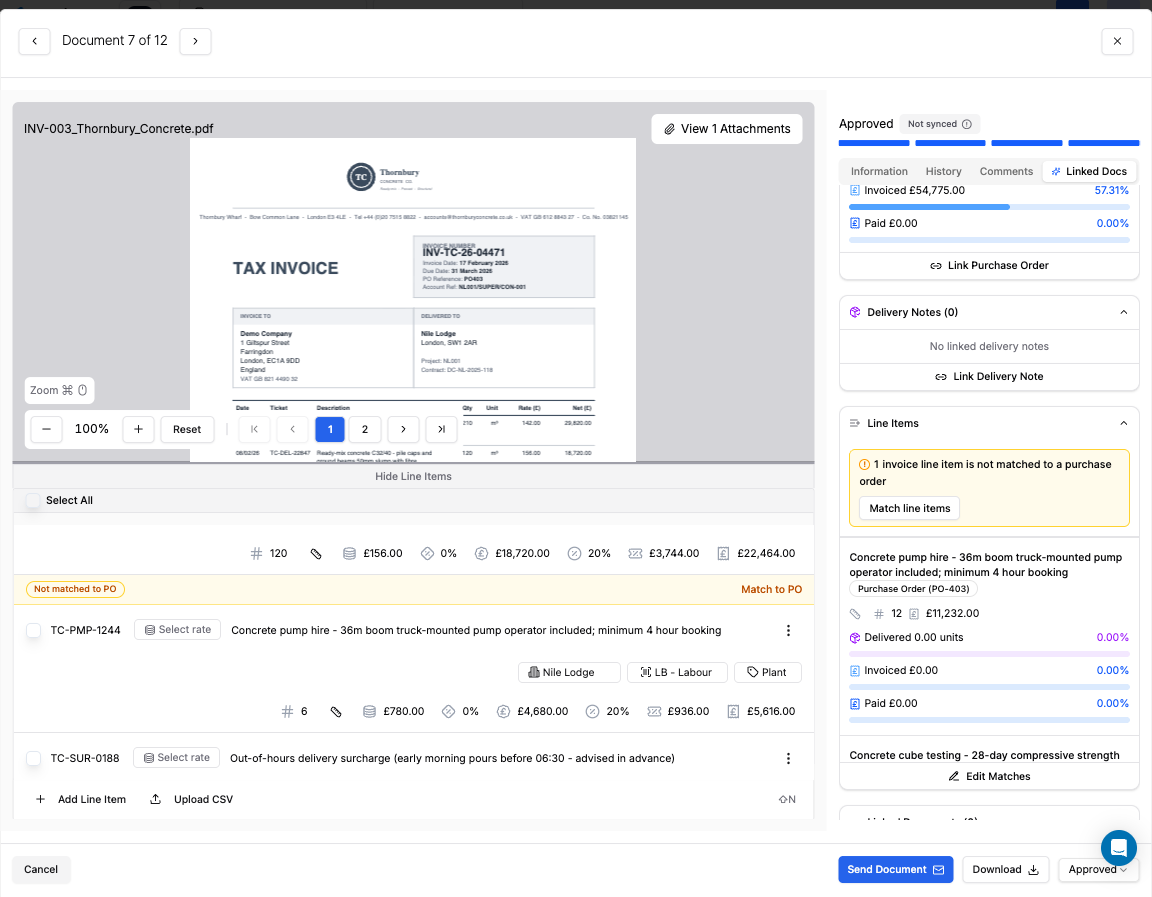
When an invoice is matched to multiple purchase orders, any line items that couldn't be automatically linked are now flagged directly in the platform. You'll see a clear warning indicator on each unmatched item, along with a prompt to assign it to the correct PO manually. Attempting to approve an invoice while unmatched items remain will surface a warning — helping you keep financial records accurate before sign-off.
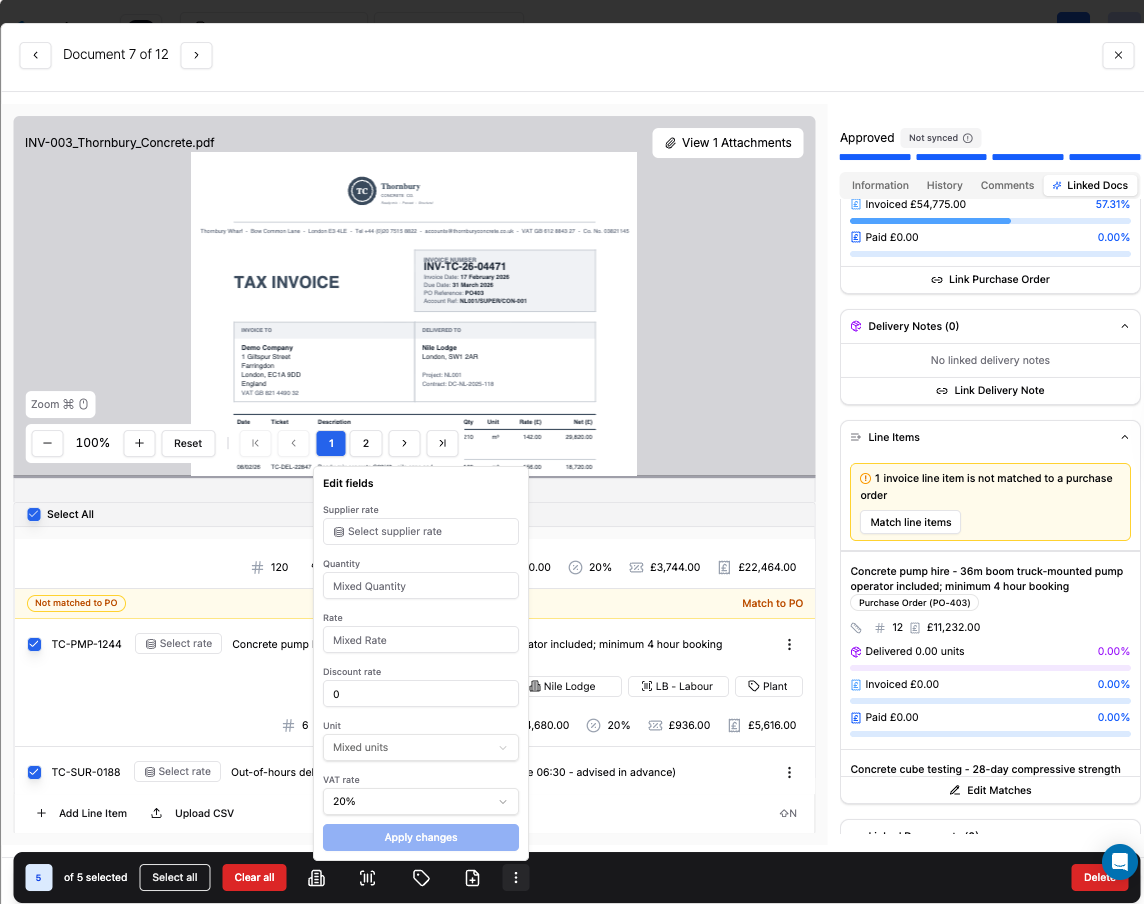
Bulk Apply VAT and Discount Rates Across Line Items
You can now update VAT rates, discount rates, and other key fields across multiple selected document line items in a single step. Select the items you want to update, open the new three-dot context menu in the toolbar, choose a field to edit, and apply the value to all selected rows at once. The same options are also available at the individual row level for single-item edits.
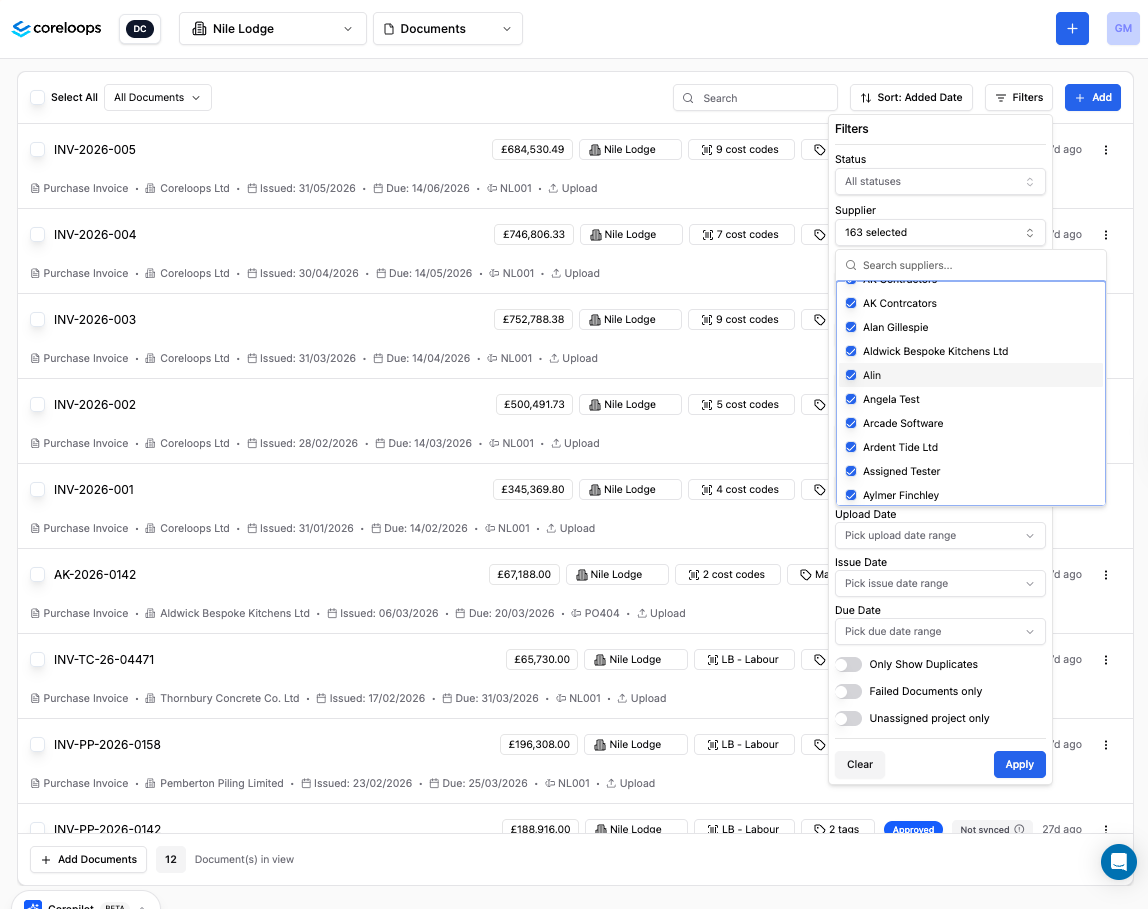
Multi-Select Document Filters
Document filters now support multiple selections at once, so you can view invoices, POs, or other documents across several statuses or categories without running separate searches. Each filter dropdown includes a search box to quickly locate the option you need, and the filter button shows a count of how many values are active. Clearing a filter resets all selections for that category.
AI Cost Code Classification for BOQ
You can now use Coreloops AI to automatically suggest or apply cost codes across your entire Bill of Quantities in one go. The AI draws on your project description, contract type, section names, and individual line item details to recommend the most appropriate code for each item — replacing the repetitive manual work of coding large BOQs. You can review suggestions before anything is saved, or apply them immediately and adjust afterwards. AI-assigned codes are tracked separately from manual entries in the audit log.
Upload and View Word Documents
You can now upload and view Word (.docx) files directly in the platform, alongside PDFs. Documents render inline with their formatting preserved — including headings, tables, lists, and bold or italic text — so there's no need to convert files before uploading. Protected or corrupted files will show a clear error message.