Coreloops Platform Update v1.26.3.3 - 09/2026

This month's update is all about timesheets. Your team can now fill in their own timesheets, log more than one project in a day, and turn a timesheet straight into a CIS statement or VAT invoice. We've also added AI-built payment application templates, a safer "void" option for documents, and branded outbound emails.
Documents
Void documents instead of deleting them – Removing a document now voids it rather than deleting it permanently, so nothing is lost. Voided documents are hidden from your document lists, search and cost reports by default, and you can show them again with a filter. If the document has already synced to Xero, QuickBooks or Sage 50, you'll be prompted to void it there too.

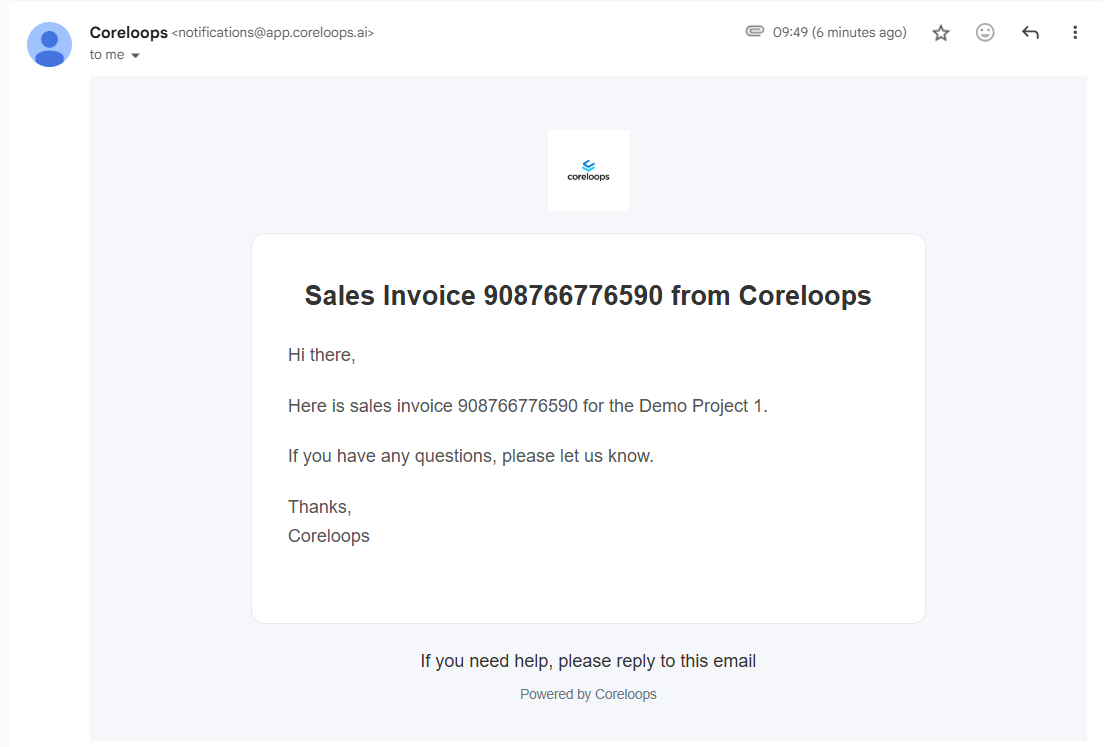
Your logo on outbound document emails – Emails sent from Coreloops, such as invoices, now carry your own company logo instead of Coreloops branding. They use the logo you've already uploaded in Settings, so there's nothing new to set up.
Dismiss the failed-documents banner – The "documents could not be processed" banner on the Cost Report dashboard can now be closed once you've dealt with it, and it stays closed. It clears automatically once those documents are re-uploaded or entered manually, and only comes back if a new batch fails.
Purchase orders fill in the supplier and delivery address for you – When you create a PO from a quote, the supplier is carried over from the quote, and the delivery address is filled in from the project's site address. POs created from the all-projects view also pick up the site address once you assign a project. Both fields can still be edited.
Match invoices to any purchase order – Invoices can now be matched to purchase orders, whatever their status (Draft, Pending or Approved), not just approved ones. Matching no longer has to wait for a PO to be signed off.
Clearer results when approving invoices in bulk – If some invoices in a bulk approval can't be approved, Coreloops now tells you exactly which ones failed and why (for example, a missing supplier), and still approves the rest.
Pick dates from a calendar in document filters – When you set a custom range on the Issue date or Due date filter, you can now pick dates from a calendar as well as typing them in.
Accounting & Tax Sync
QuickBooks payment terms and VAT numbers sync both ways – Sales and purchase payment terms and VAT registration numbers on your clients, suppliers and contacts now stay in step between Coreloops and QuickBooks. A blank value in QuickBooks won't overwrite details you've entered in Coreloops, and any sync problems are shown to you rather than failing silently.
Easier Sage 50 reconnection – If your Sage 50 connection needs signing in again, you're now prompted to re-authenticate directly from the document, so syncing can carry on.
CIS subcontractor details sync with Sage 50 – For CIS-registered suppliers, CIS details now sync directly between Coreloops and Sage 50: CIS status and rate, company type, verification number and date, UTR, company number and NI number. You no longer need to keep them up to date in both places.
Safer Xero bill syncing – Before a bill is sent to Xero, Coreloops now checks that its line totals add up to the subtotal. If they don't, it stops the sync and shows a clear error, so the wrong amount never reaches your accounts.
Timesheets
Submit your own timesheets with My Timesheets – A new My Timesheets page in the navigation lets team members/operatives fill in their own week. Pick a day, add a project, and enter start and end times or total hours, then save a draft or submit it for approval. It works on mobile too.
Invite operatives from Team Settings – A new Operatives section in Settings > Team, alongside Team Members and My Teams, lets admins invite an operative with just their name and email. In the same step, you link them to their directory contact. From here you can also search, edit and remove operatives, or change which contact they're linked to.
Log multiple projects in a single day – Operatives can now add more than one project to the same day, each with its own hours, cost code and compensation event. This makes it easy to split a day across sites.
Link team members to directory contacts – Admins can now link a platform user to their directory contact from Settings > Team, using the "Assign Contact" action next to each team member. Timesheets that person submits are then recorded against the right contact.
Generate a CIS statement or VAT invoice from a timesheet – Turn a timesheet into a CIS statement or a standard VAT invoice in one step. It syncs to Xero, QuickBooks or Sage 50 as an attachment, so your cost report isn't counted twice. You can switch this sync on or off for each accounting connection.
Payment Applications & BOQs
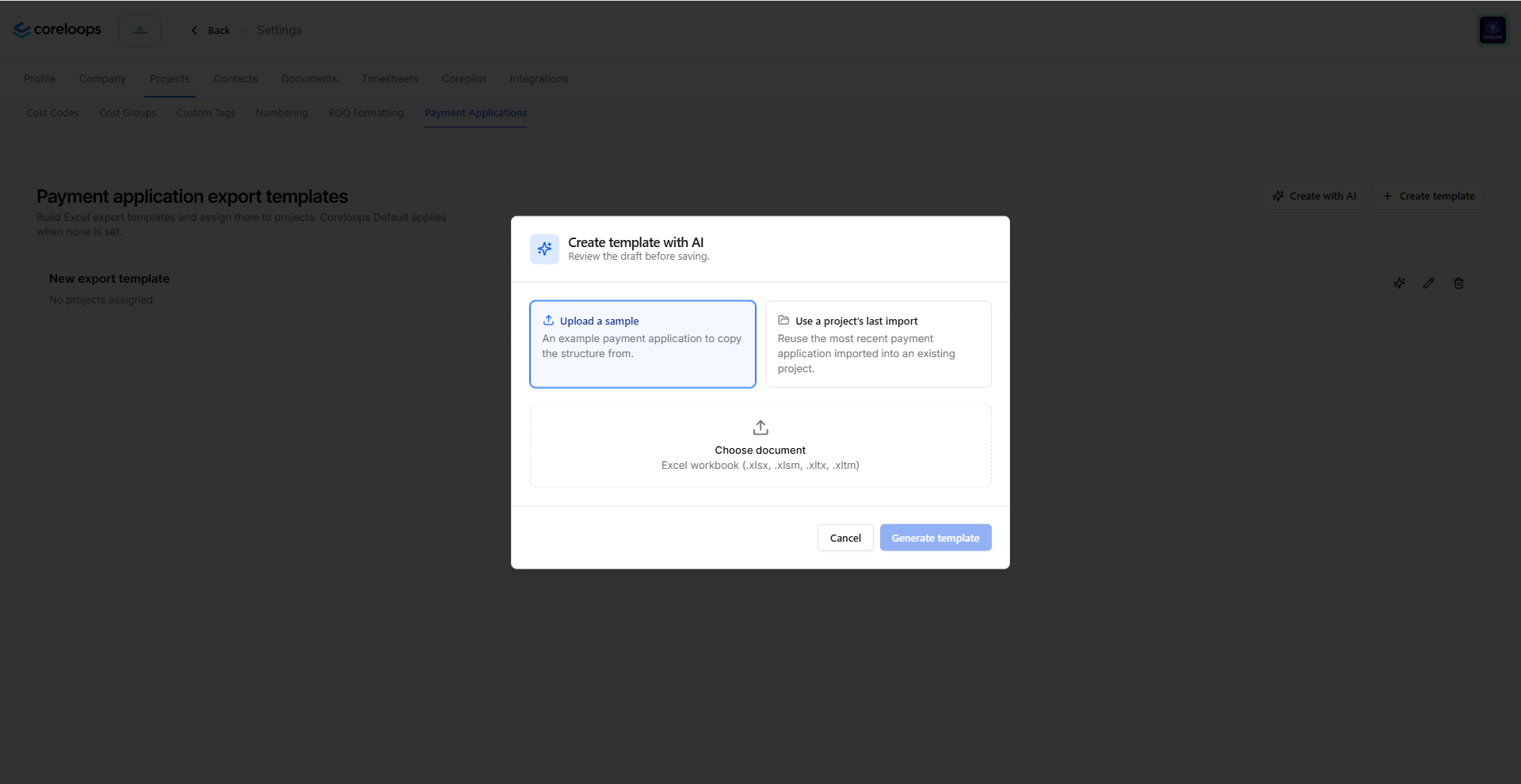
Create payment application templates with AI – In the Template Builder, choose "Create with AI" and upload a sample payment application (Excel, CSV or PDF). Coreloops builds a draft template from it for you to review, adjust and save.
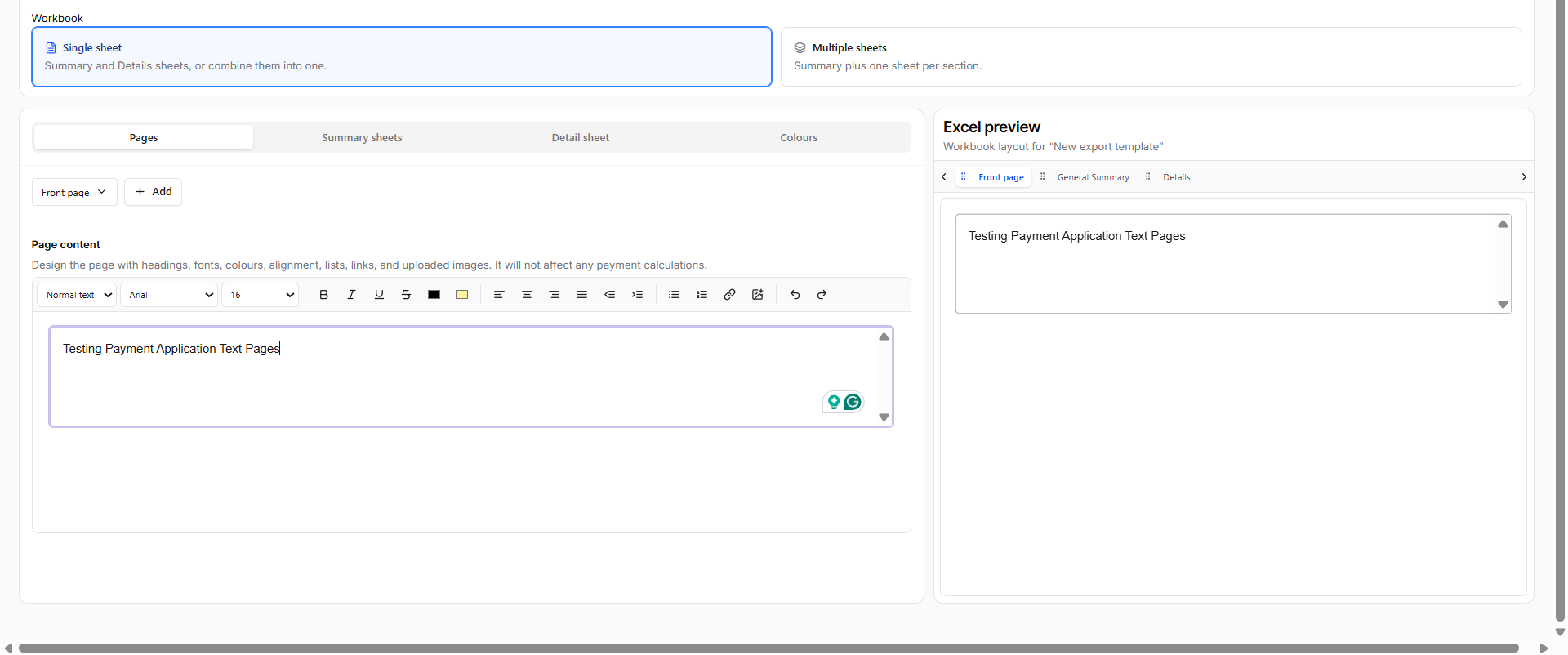
Add cover pages and other non-financial pages to templates – Payment application templates in the Template Builder can now include text pages, such as a cover page or notes. You can reorder, rename or remove them, and they appear in the app and in exports without affecting any totals.
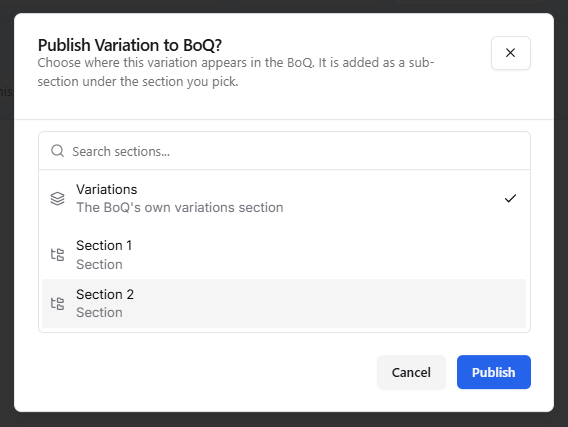
Choose which section a variation is published to – When you publish a variation, you can now pick the BOQ section it goes into, or create a new section right from the publish window. If you don't pick one, it goes into "Variations".
Retention shown on invoices from payment applications – Invoices generated from a payment application now show the period certified amount and a separate "Less: Retention" line, so the net amount due is clear. Both lines are included in exports.
Multiple cost codes or tags per line in BOQ imports – When importing a BOQ, you can now put several cost codes or tags in one cell, separated by commas (for example, "Groundworks, Drainage"). Each one is assigned to the line item, and any that don't exist yet go through the usual create-new step.
AI classification moved into a menu – "Auto-classify with AI" now sits in a sub-menu on the BOQ toolbar instead of being a standalone button. Choosing which items to classify and reviewing the suggestions have both been redesigned to be clearer.
Reports
Supplier spend metrics in the Resource Report – The Resource Report now has new metrics you can turn on, grouped by supplier, so you can compare committed spend against actual spend. They are PO subtotal, actual cost subtotal, VAT and gross total, CIS, and PO and invoice counts. Your column choices are remembered, and the new metrics are included in exports.
Bugs fixed
Fixed recurring invoices from the same supplier for the same amount being wrongly flagged as duplicates. Duplicate detection now also checks the invoice number and date
Fixed bulk-assigning a project, cost code or tag to a document not updating its line items
Fixed some bills with labour, materials and CIS syncing to Xero with the wrong materials amount
Fixed the QuickBooks payment terms dropdown hiding one of two similar terms (e.g. "Net 7" and "7 days") and not saving your choice
Fixed bulk-approving a large batch of invoices failing because of Xero's request limits
Fixed a retried sync occasionally creating a duplicate invoice in Xero, QuickBooks or Sage 50
Fixed changes made while a sync was running sometimes being skipped by the next sync
Fixed errors when deleting a synced payment not showing the real reason